- 24
- screens and video walls in the showroom
- 800+ m²
- of showroom space in Arkády Pankrác, Prague
- 7 days a week
- operational support
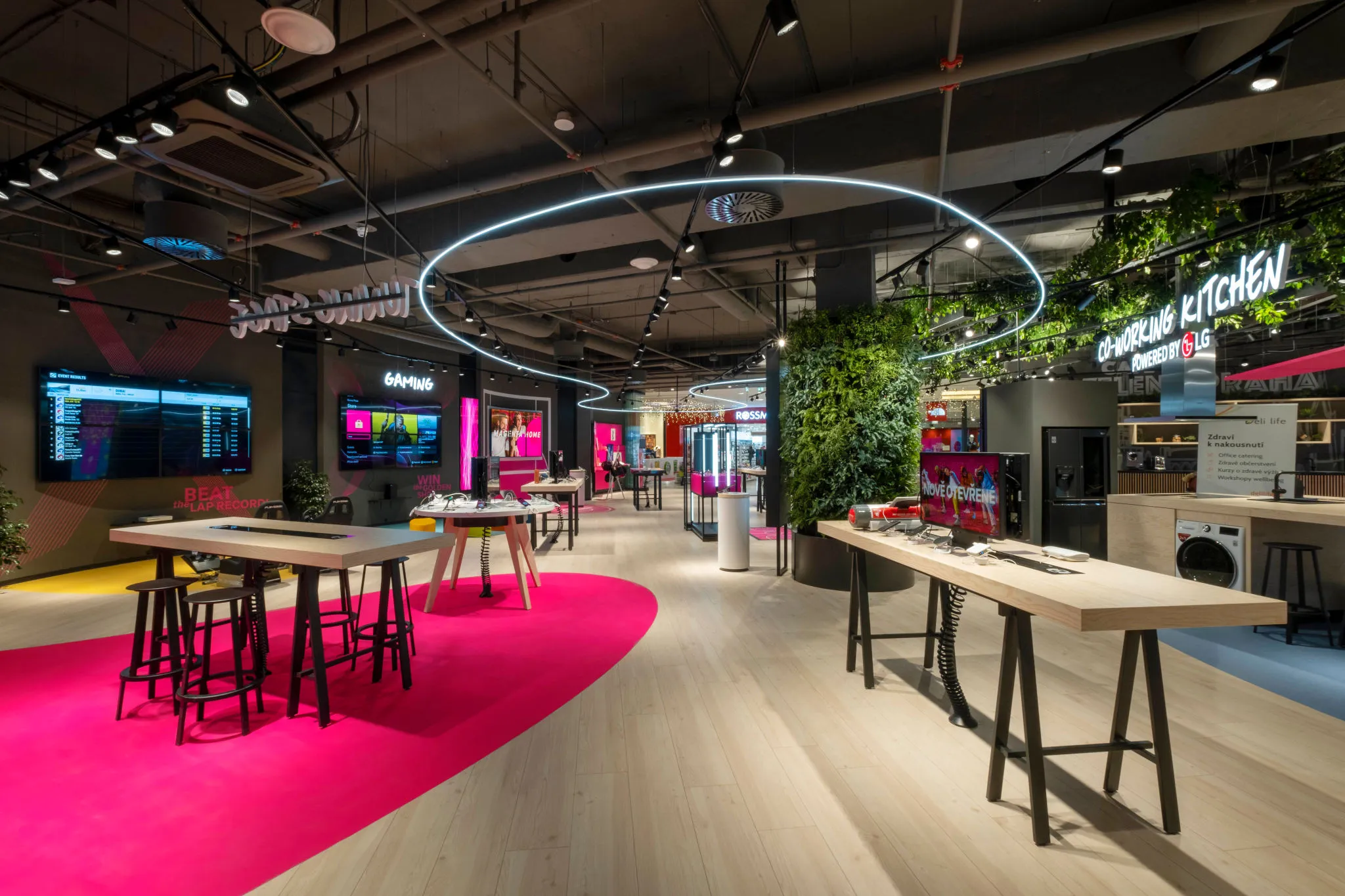
When T-Mobile opened the Magenta Experience Center in Prague’s Arkády Pankrác shopping centre on 17 December 2020, it was no ordinary store. More than 800 m² of space with a gaming zone, co-working, a podcast studio, a smart home showcase and a stage for conferences. There are screens almost everywhere, and every zone needs different content, at a different time and in a different quality.
We were put in charge of managing the content on all of those screens. The system we built for the showroom later became the foundation of Bohemica Signage.
The brief: one place for every screen
We had just under three months for development. The requirements were clear:
- Cloud content management, available from anywhere, not just from a computer in the store
- Video, images and web pages as first-class screen content
- Automatic quality checks on supplied video, so nothing reaches a screen that won’t play smoothly
- An admin interface in several languages
- Support 7 days a week, because the showroom is open at weekends too
From diagram to the first line of code
Before writing any code, we drew a wiring diagram of every part: which display hangs where, what drives it and how it gets its content. The small 32” screens at the product tables run on Raspberry Pi in Full HD. The large displays and video walls on the stages and in the gaming zone are driven by NUC computers that can handle 4K.
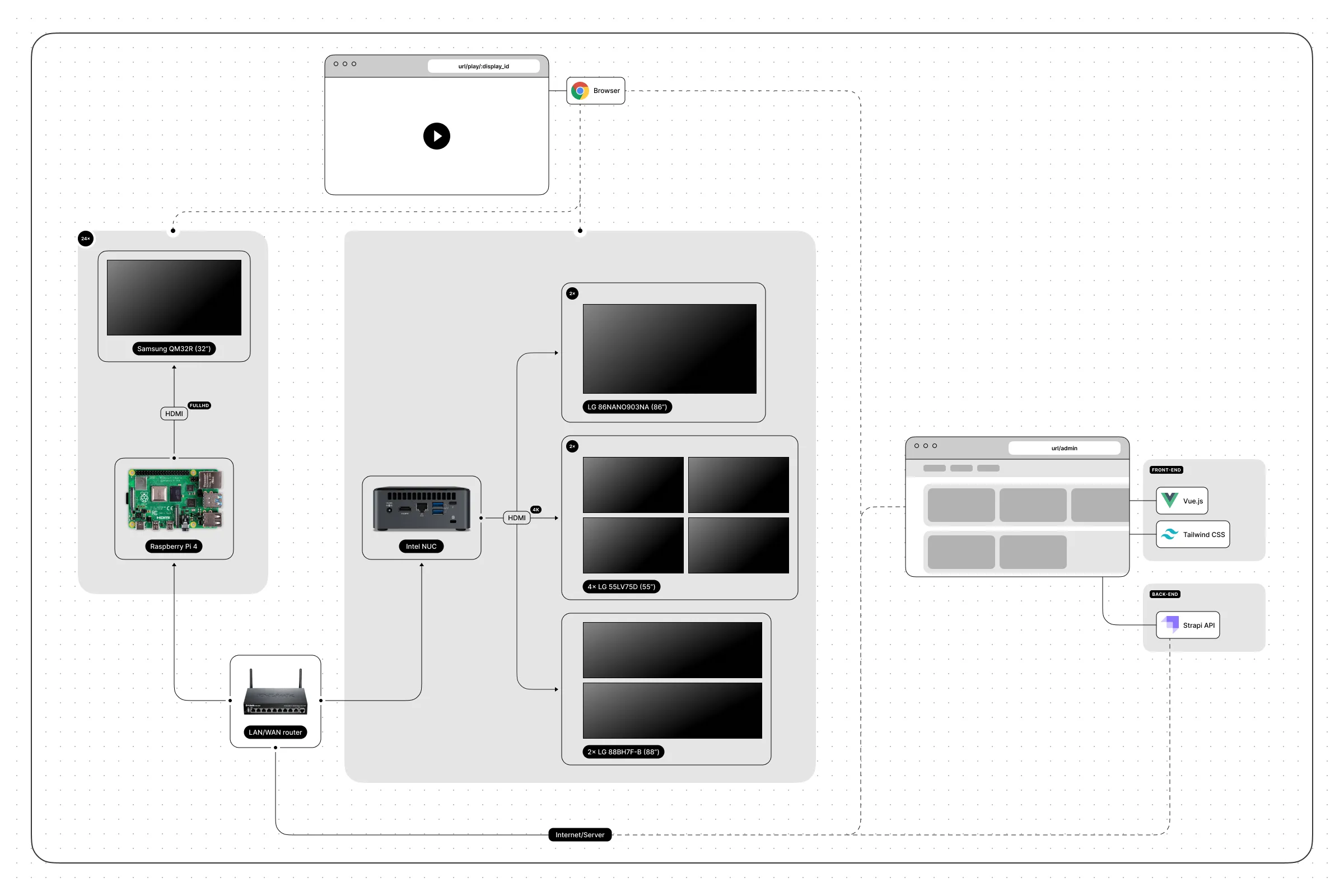
Thanks to the diagram, it was clear from the start which parts the system was made of:
- A server with a database and API that handles requests, stores media and backs up data
- An admin interface in the browser, where showroom staff manage content
- A player on every screen that downloads the content and plays it
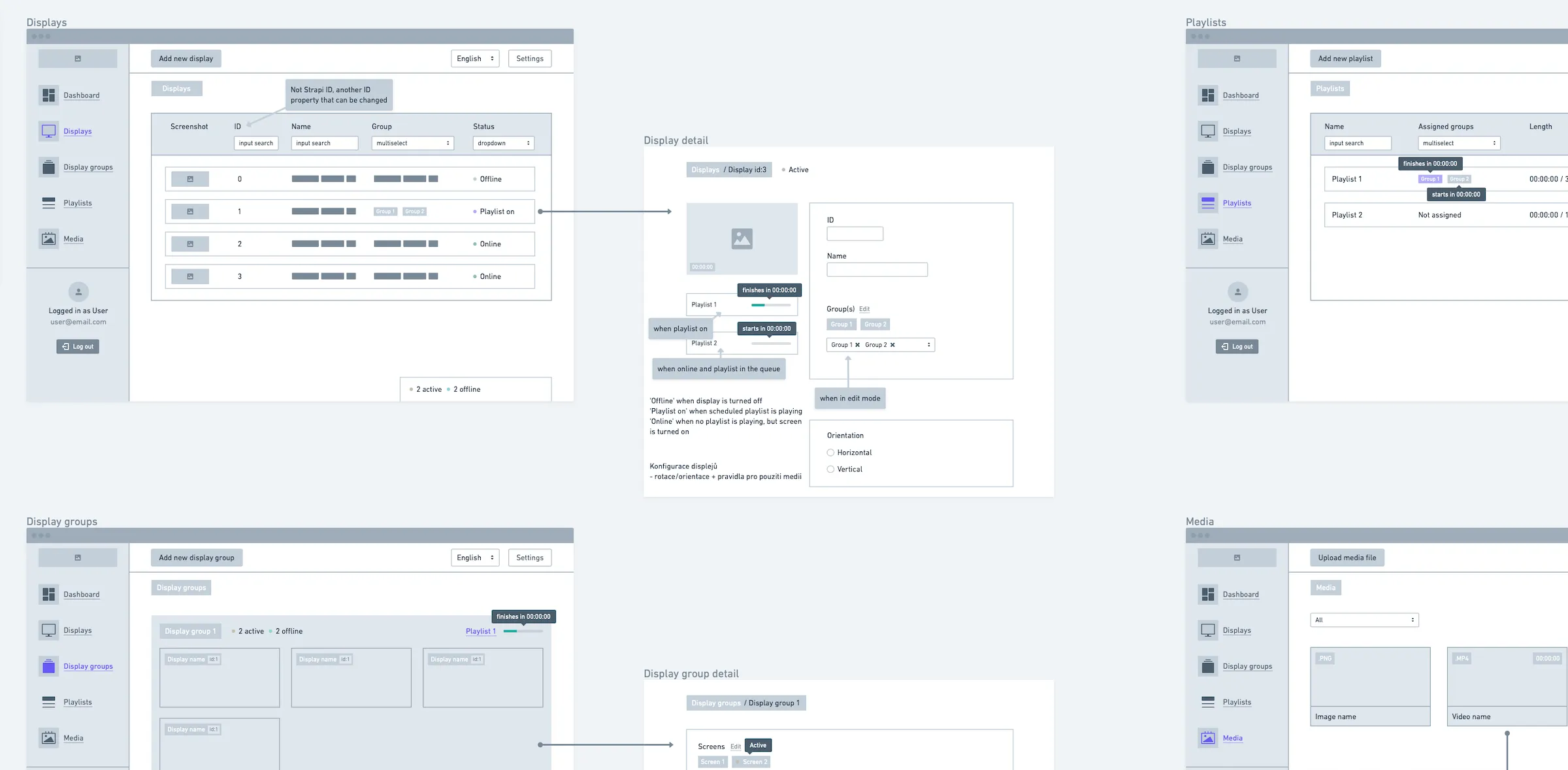
For each section of the admin we then sketched a simple user interface. The sketches let us agree quickly with the client on what goes where, and we could start writing code straight away.
Groups by showroom zone
Showroom staff don’t think in screen numbers, they think in zones. That’s why groups are at the heart of the admin. The main stage, partner stages, gaming arena, kids’ corner or meeting rooms can each be controlled as a whole, with their own playlist. At night, the whole showroom switches to a screensaver.
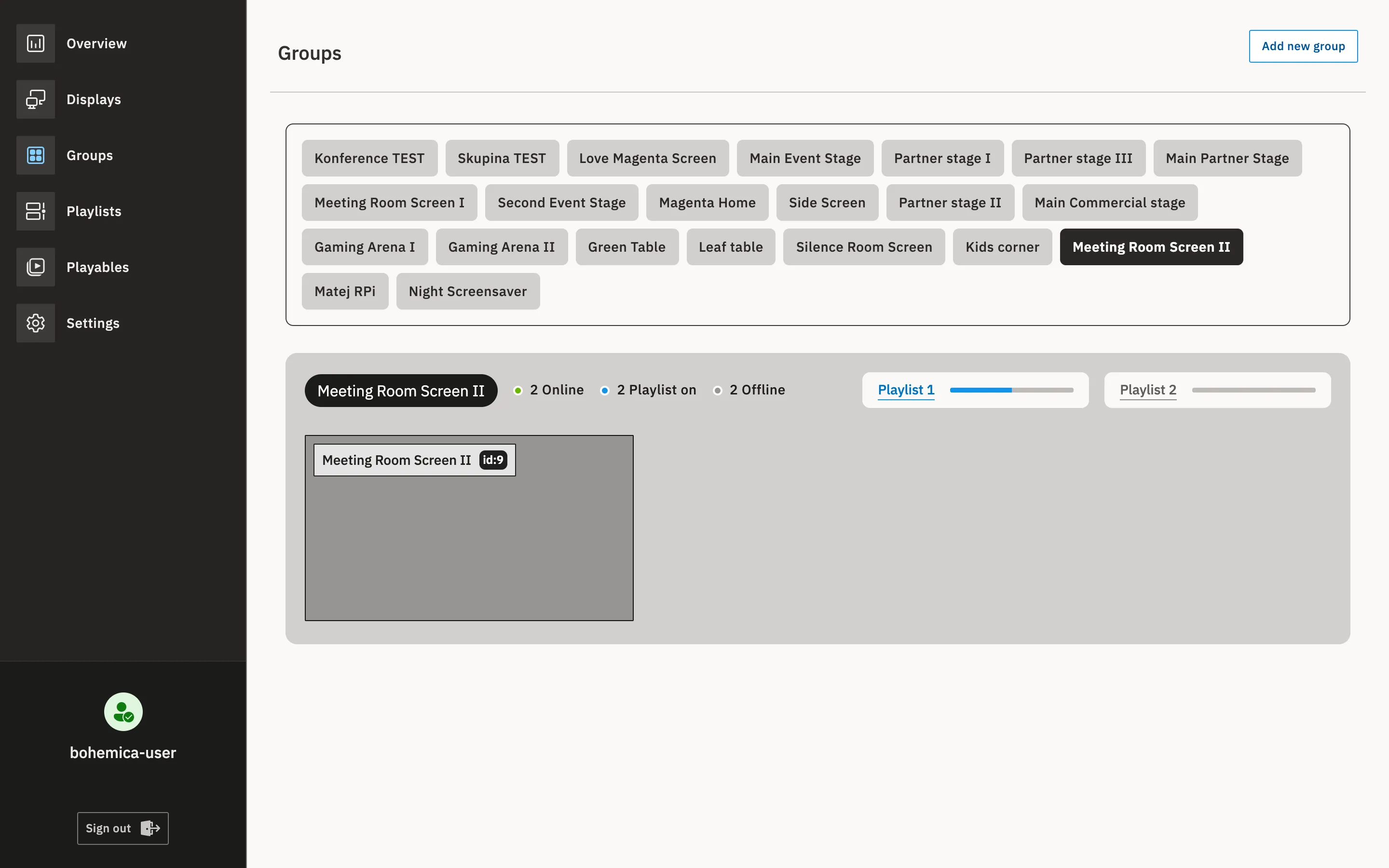
Each group shows at a glance how many screens are online, how many are playing a playlist right now and which are offline. Staff find out about a display problem in the admin, not from a visitor.
From the showroom to stores across the country
The Magenta Experience Center still uses the system today. Over time, other T-Mobile stores across the Czech Republic have joined it.
From one showroom to a product of our own
The Magenta Experience Center showed us that many more businesses face the same problem. Stores, restaurants, offices and hotels need to change what’s on their screens from anywhere, without USB sticks and without software tied to one TV brand.
So we gradually turned the showroom system into Bohemica Signage, a cloud service anyone can deploy. A lot of what’s in the product today started at Pankrác:
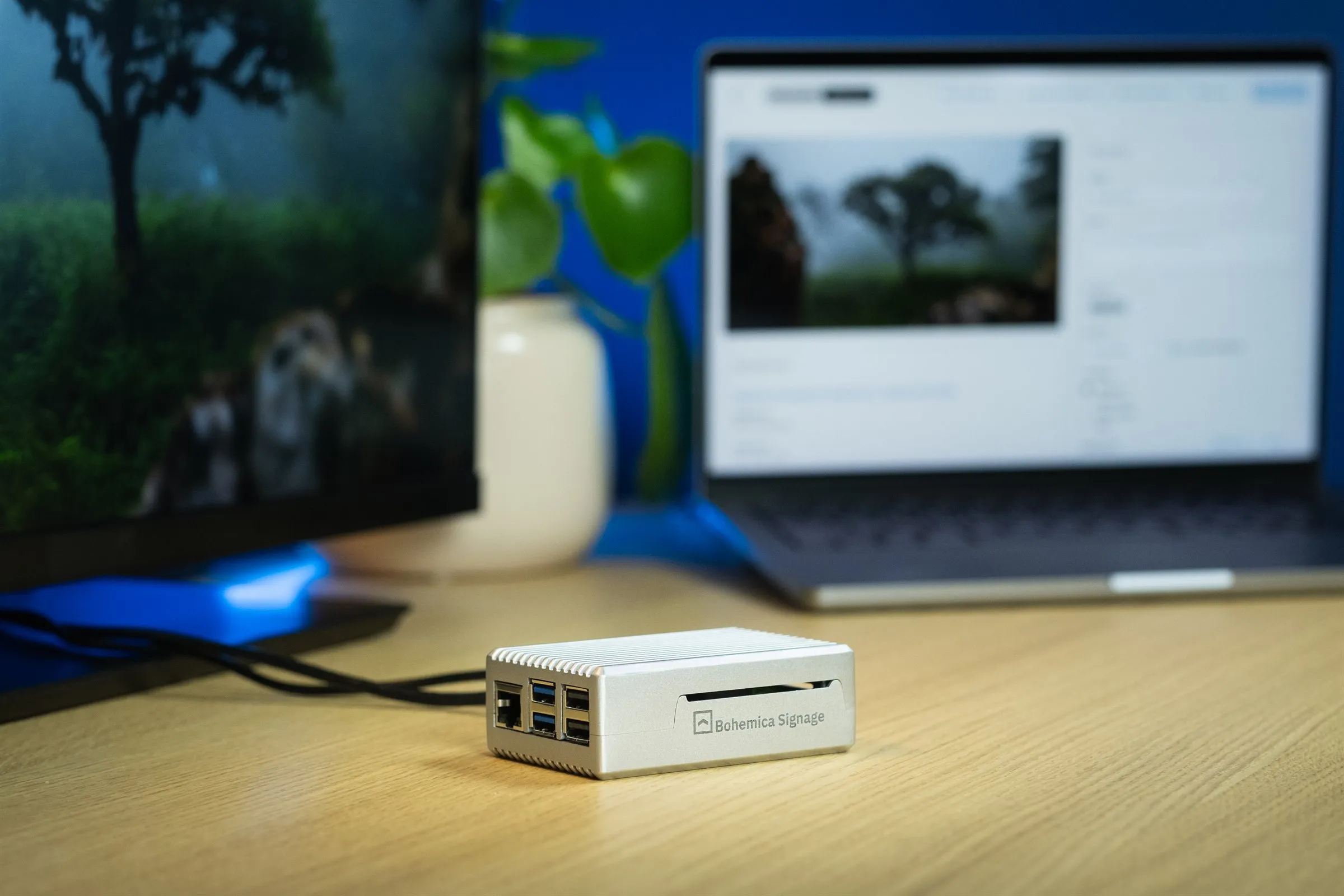
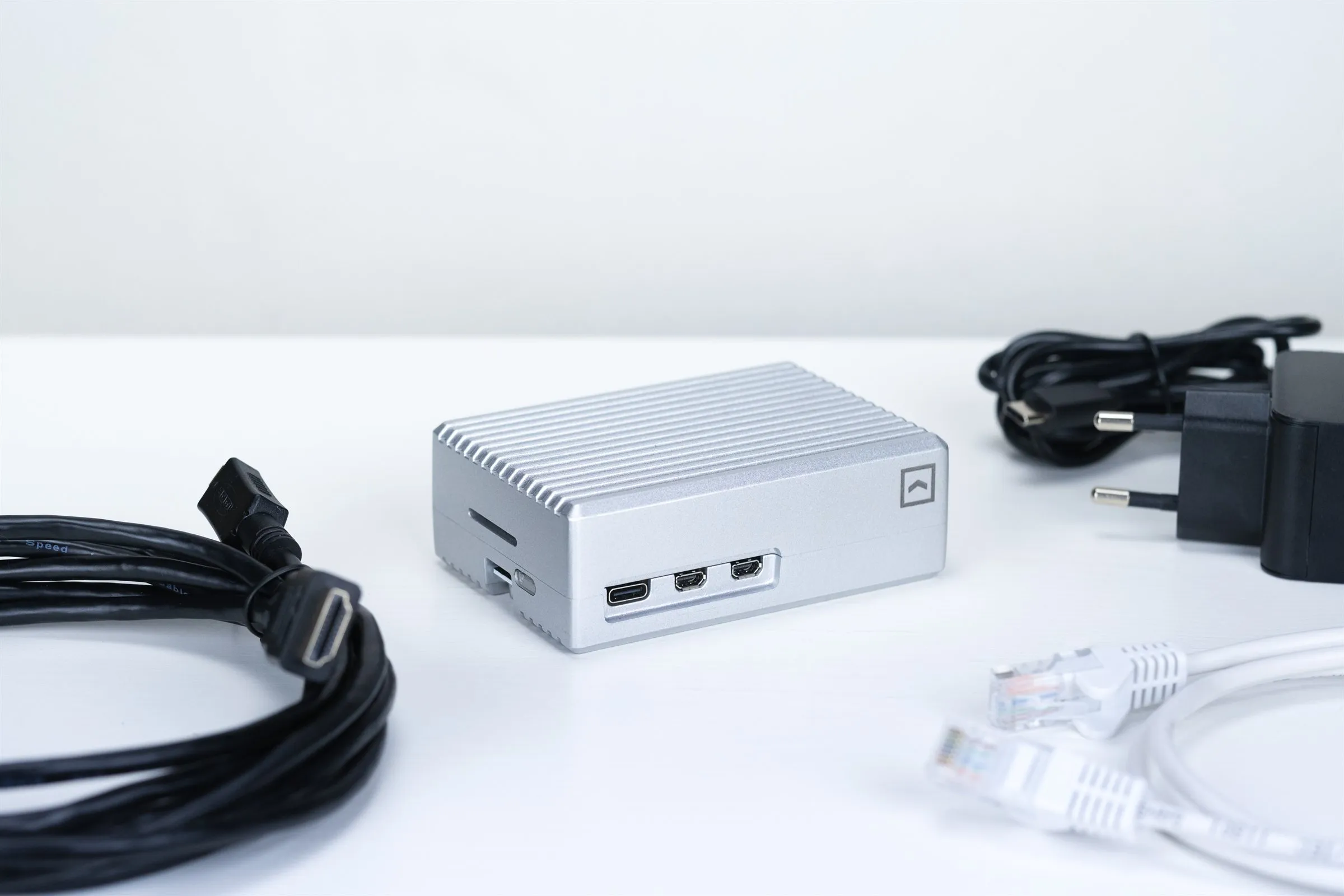
- Raspberry Pi and NUC as players - affordable and reliable, with 4K where it’s needed
- Groups and playlists - content for a whole zone or branch in one click
- Video conversion on upload - the automatic quality check grew into conversion to multiple qualities up to 4K, so every screen gets a version it plays smoothly
- Screen status at a glance - which screens are online and what they’re playing
- Multiple languages - the admin is now available in six languages
- Direct support - customers talk directly to the development team, with no middlemen
Facing a similar challenge?
Whether you’re planning a showroom, a flagship store or a network of branches, we’ll help you design a solution that grows with you. Write to us at [email protected] or get in touch through the contact form.